

Archaeology vases 3D study tools
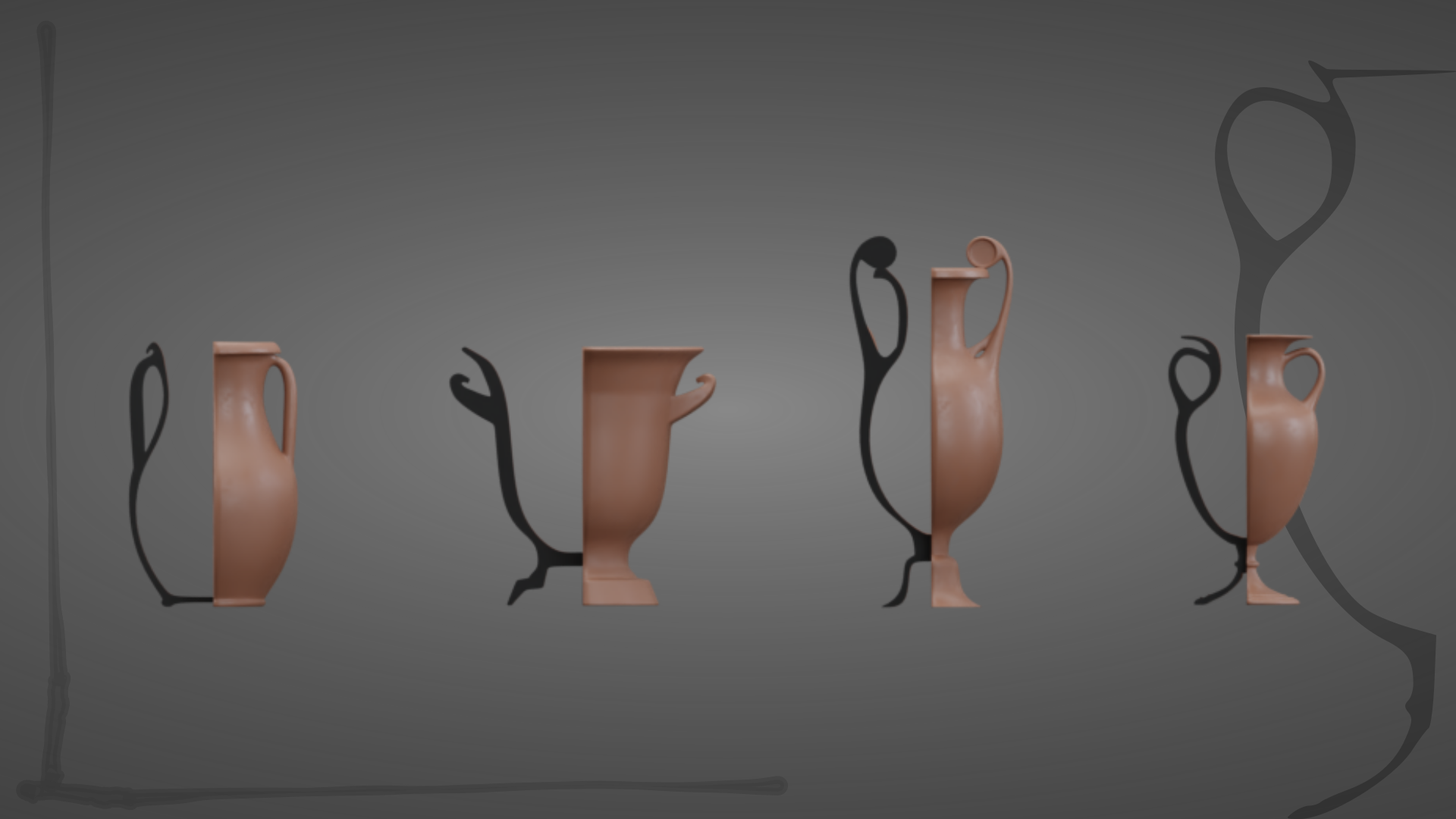
Today, let’s base the sketchbook training exercise on a drawing done in the 18th century. It’s a study of four vases. What was the purpose of this work ? Was it a training exercise ? A study for a decor ? An archaeological pieces study of Greek vases forms ?
We shall never know!
But today, I will be using it to test a few new toys. First, a nice new way to turn any symmetrically modelled pottery into an archaeological outline figure. Then my personal favourite, a pleasant way to turn a render into a field survey watercolour looking result. Utterly archaeo-geeky, but it does have other uses, I promise !
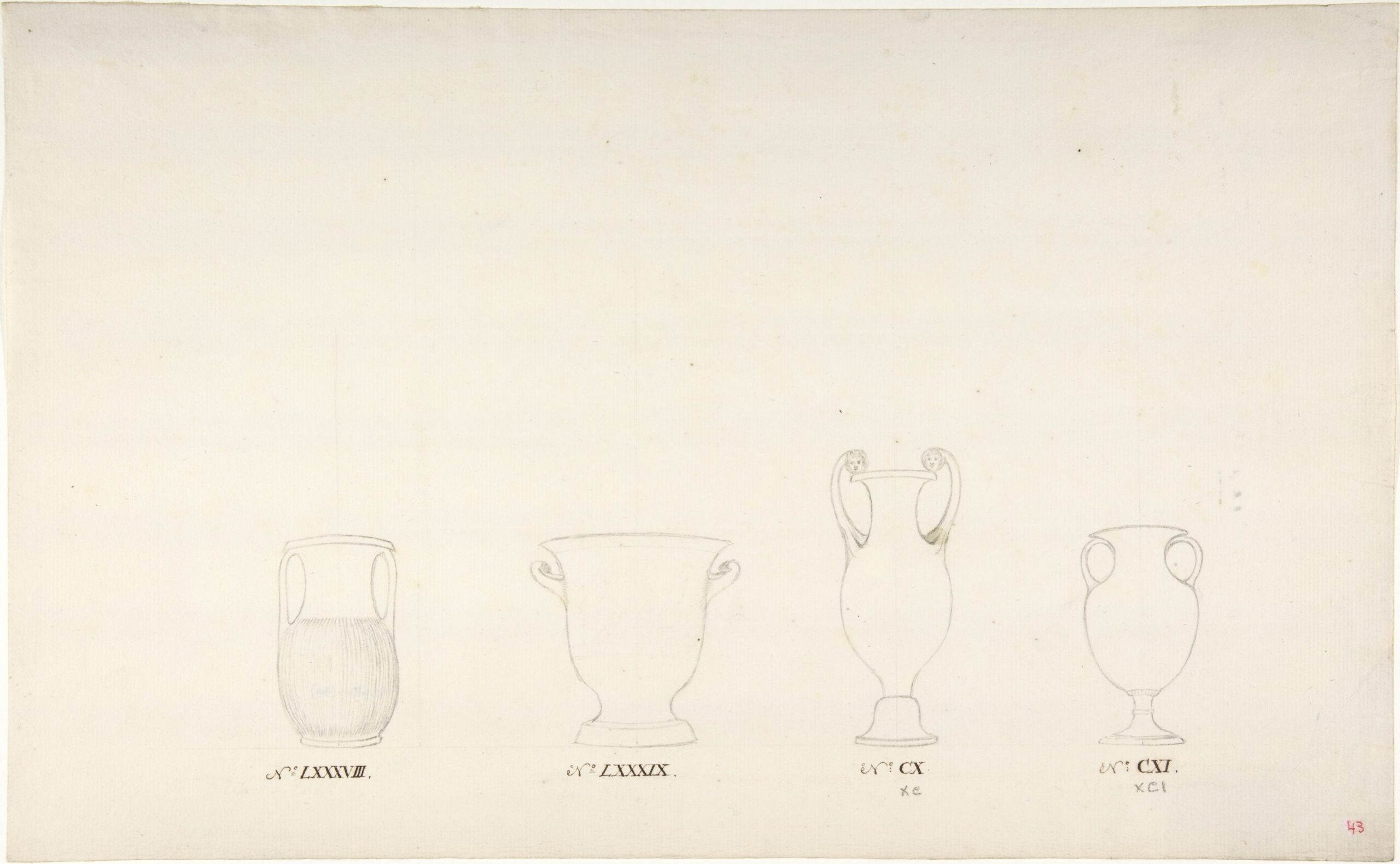
Title: Design of Four Vases
Artist: Anonymous
Date: ca. 1770–85
Provenance: France ?
Dimensions: 37.7 x 23.3 cm
Medium: Black chalk, and pen and brown ink
Source image: INV n°61.680.1.30, Metropolitan Museum
3D notes
Disclaimer : this is an exercise, shown for documentation purposes only
Modelling the 4 vases
The shapes themselves are pretty straightforward. However, parts like the inside of the feet are obviously not shown on the drawings. Therefore, there are hypotheses to be made.
I took it upon myself to use my knowledge of Greek and Roman ceramics collections to do so but, as with anything, I might be wrong. Being drawn by a French person in the 18th century, they might also be thought of as pastiche stone pieces. That would yield very different results.
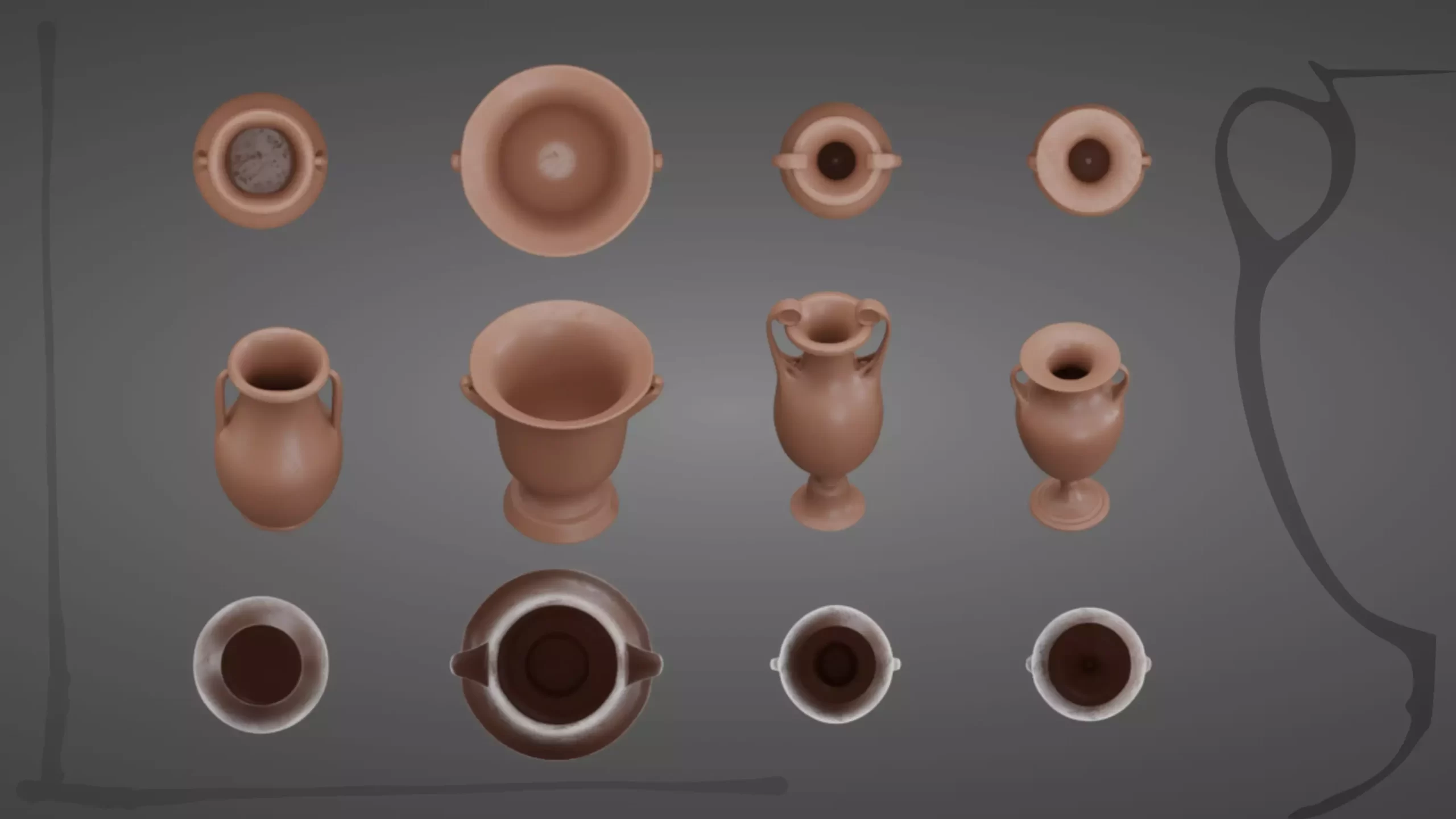
Geo-nodes slices to get the outline profile
Now that we have done the potter’s wheel work, let’s try to extract the outline of the pieces. The result should be something one is accustomed to seeing in archaeology journals and corpi surveys. The idea came from a guide from the Chartered Institute for Archaeologists about archaeological pottery drawing.
It is also a way to familiarize myself with geo nodes in Blender. Geo nodes can be non-destructive, so a set of presentation tools based on them is pretty much a no-brainer ! It gives more opportunities to showcase the modelled pieces’ characteristics without modifying the geometry.
This time, the concept is simple and there must be many ways to do it. I want to slice the shape on half the piece, parallel to the camera, in order to let the outline show on a very thin part of it.
After a few tests, the easiest way to do so for me was to use a boolean operation to remove blocks from each sides of the “slice”. It works relatively well, but the normals can be a little untidy near the half shape cut, depending on the curvature. I eventually added a black default material for the slice, though it can be used to plug in a fired clay body shader.
I should revisit this method at some point to try to find a more accurate way to work.
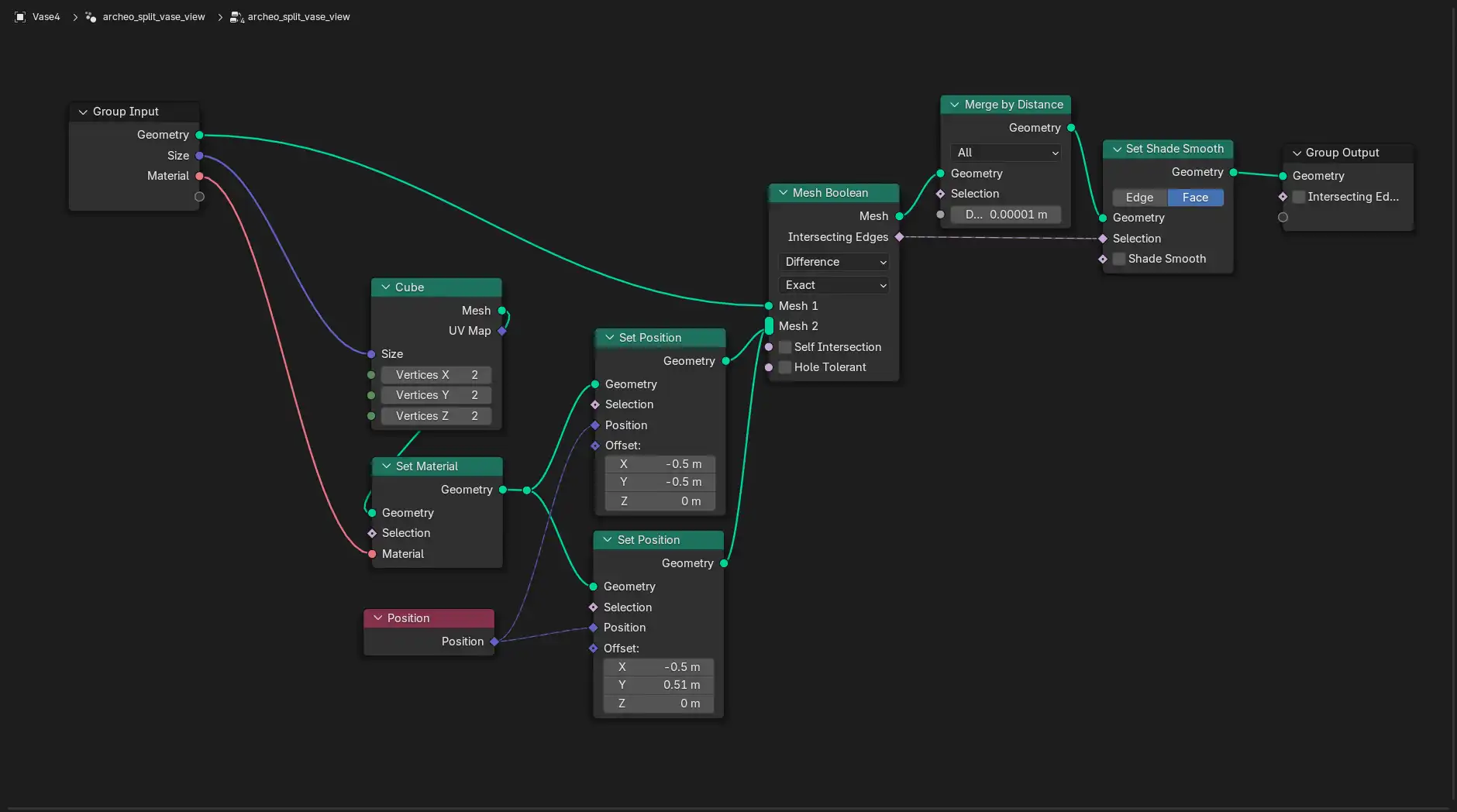
Texture the shapes: Watercolour for everyone
It’s a composition node (i.e. post prod). It’s a slightly computation-heavy method, but I think it’s very much worth it !
The following node tree gives you the thick of it. It gives a watercolour like effect to the renders, using the Kuwahara node. This is my adaptation of the brilliant work of Paul-Guilhem Repaux.
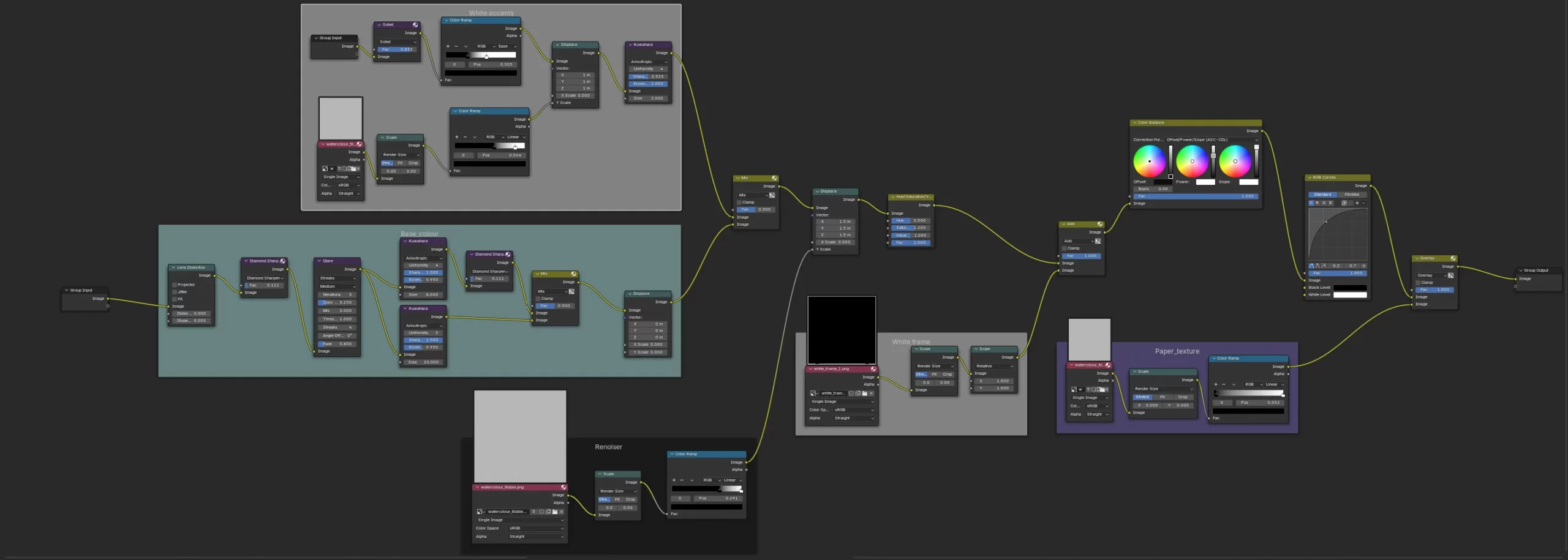
The watercolour paper effect is also done digitally using Krita smart canvas capacities. The white frame image is a regular white and black painting using one of Krita’s brushes.
There is another lighting tweaking node after that, inspired by Creative Shrimp / Gleb Alexandrov ligthing course.
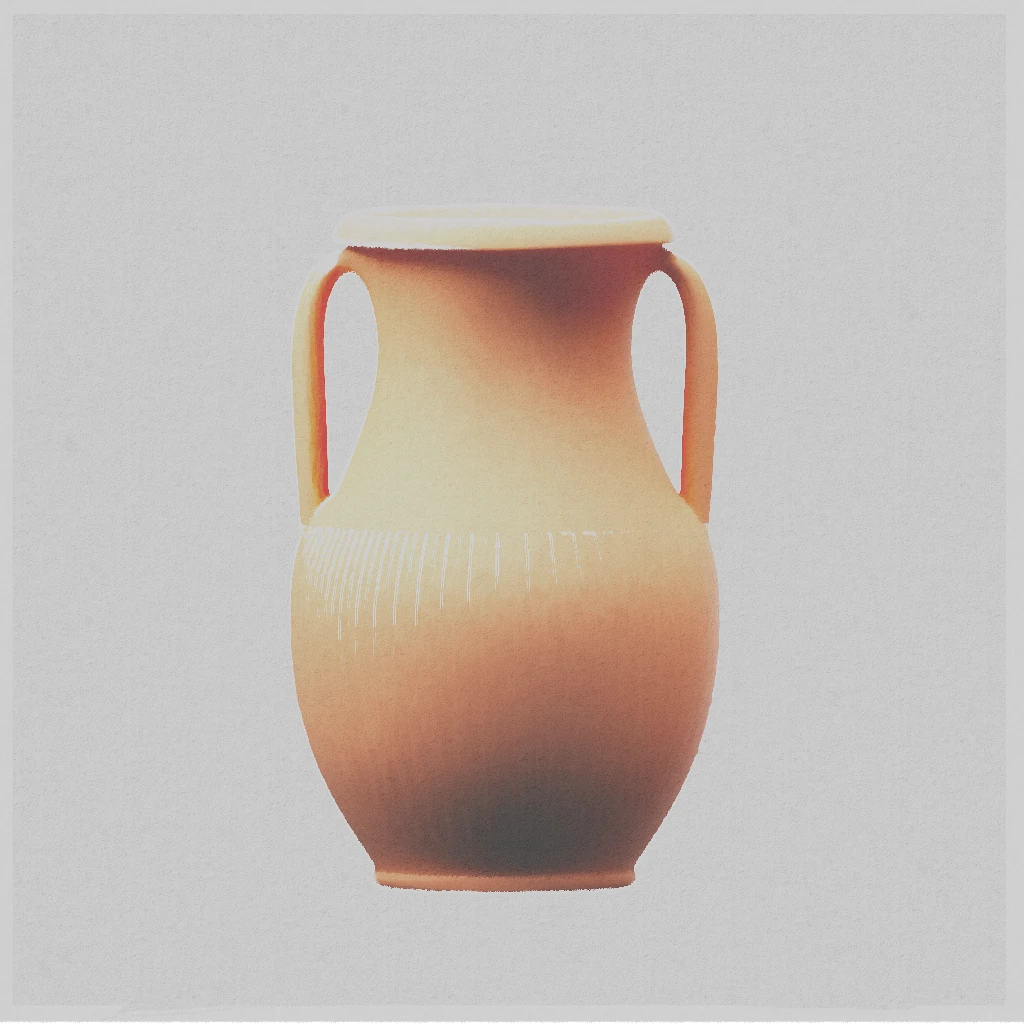
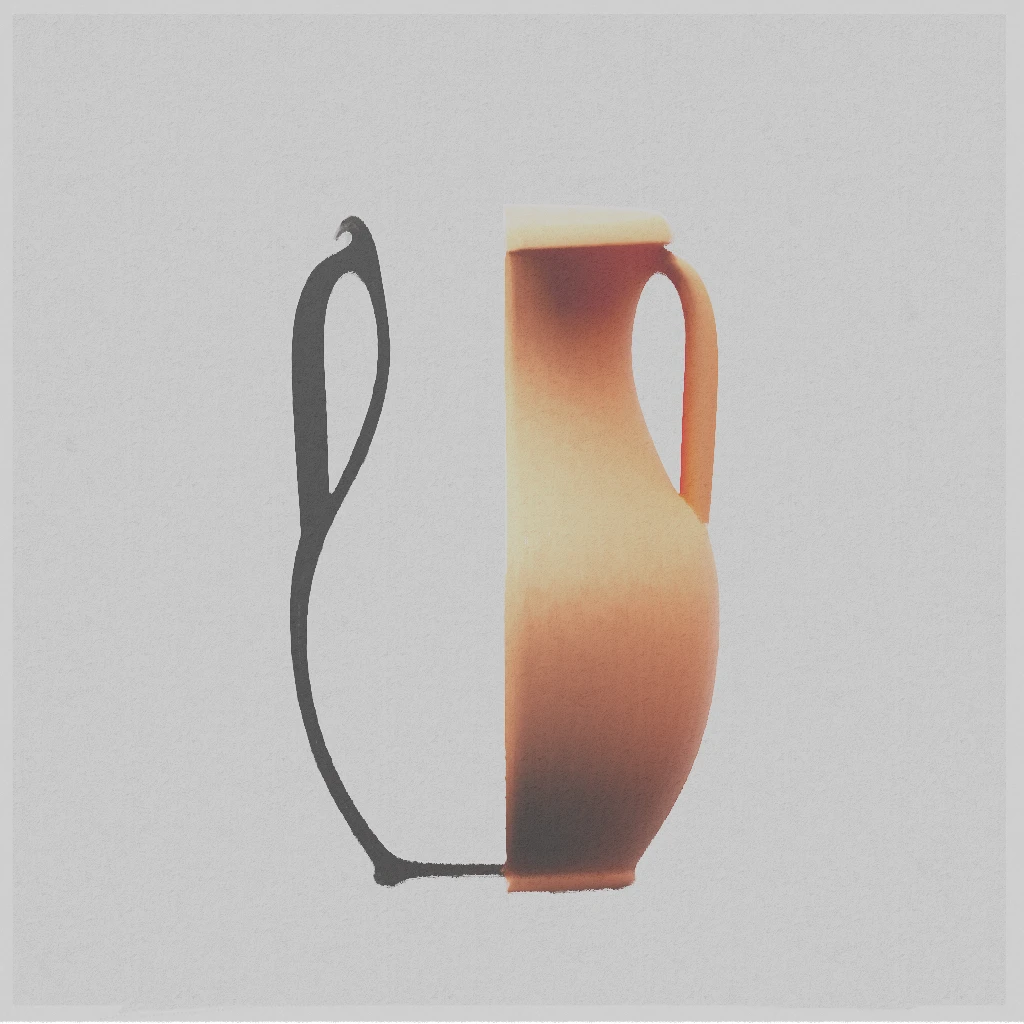
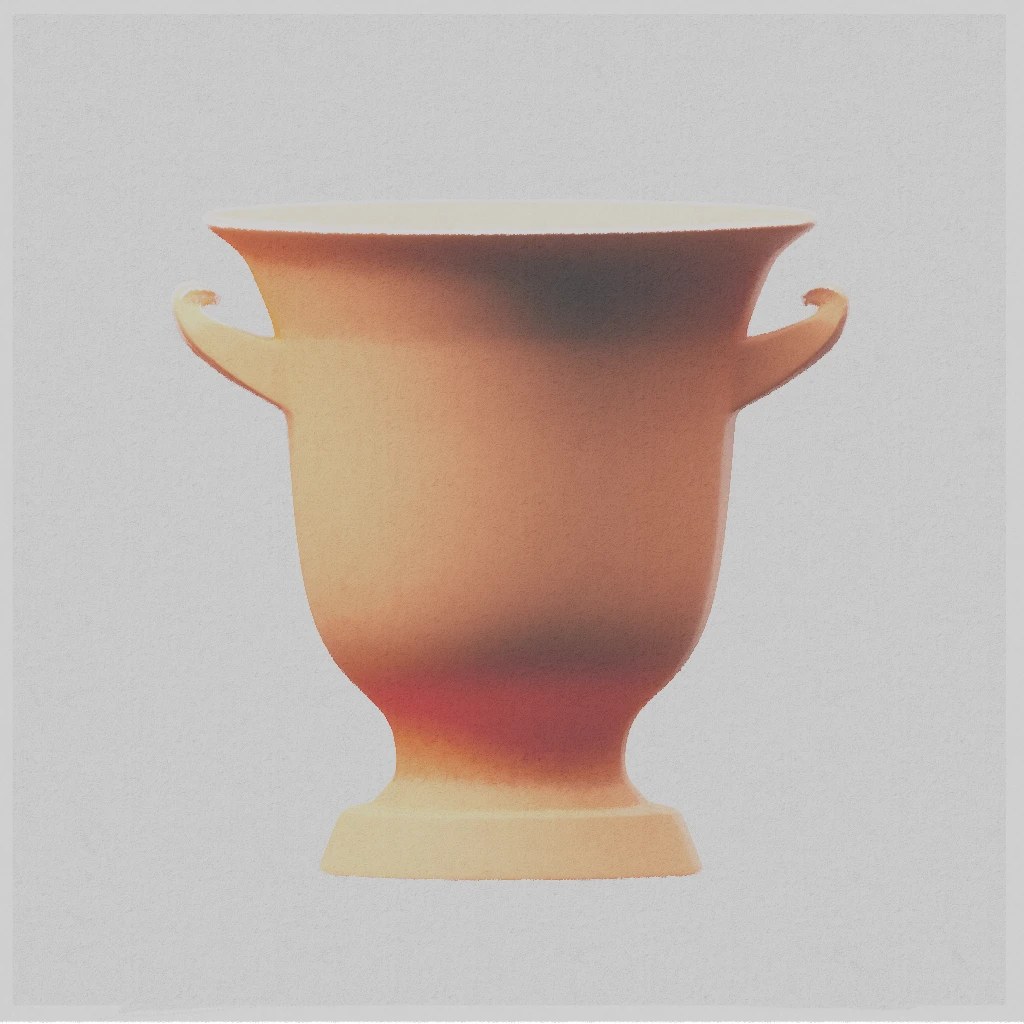
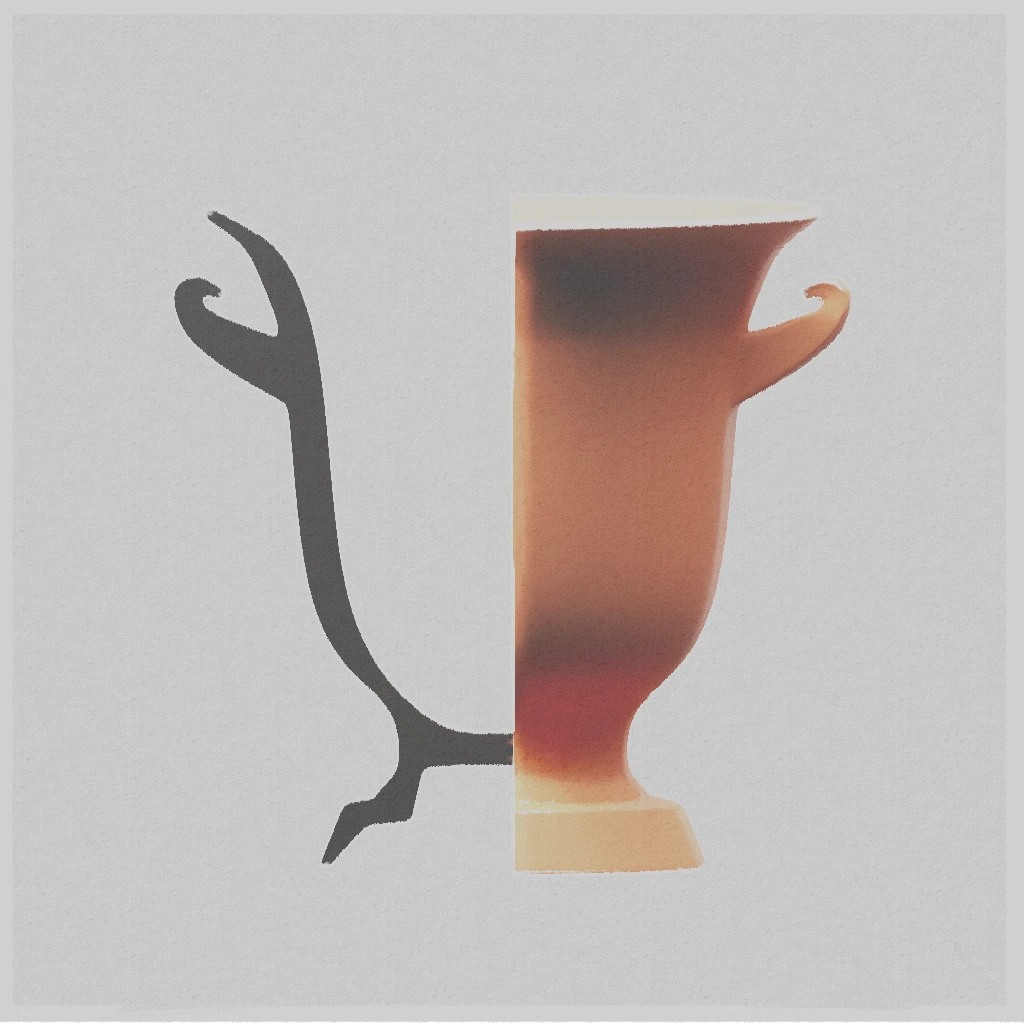
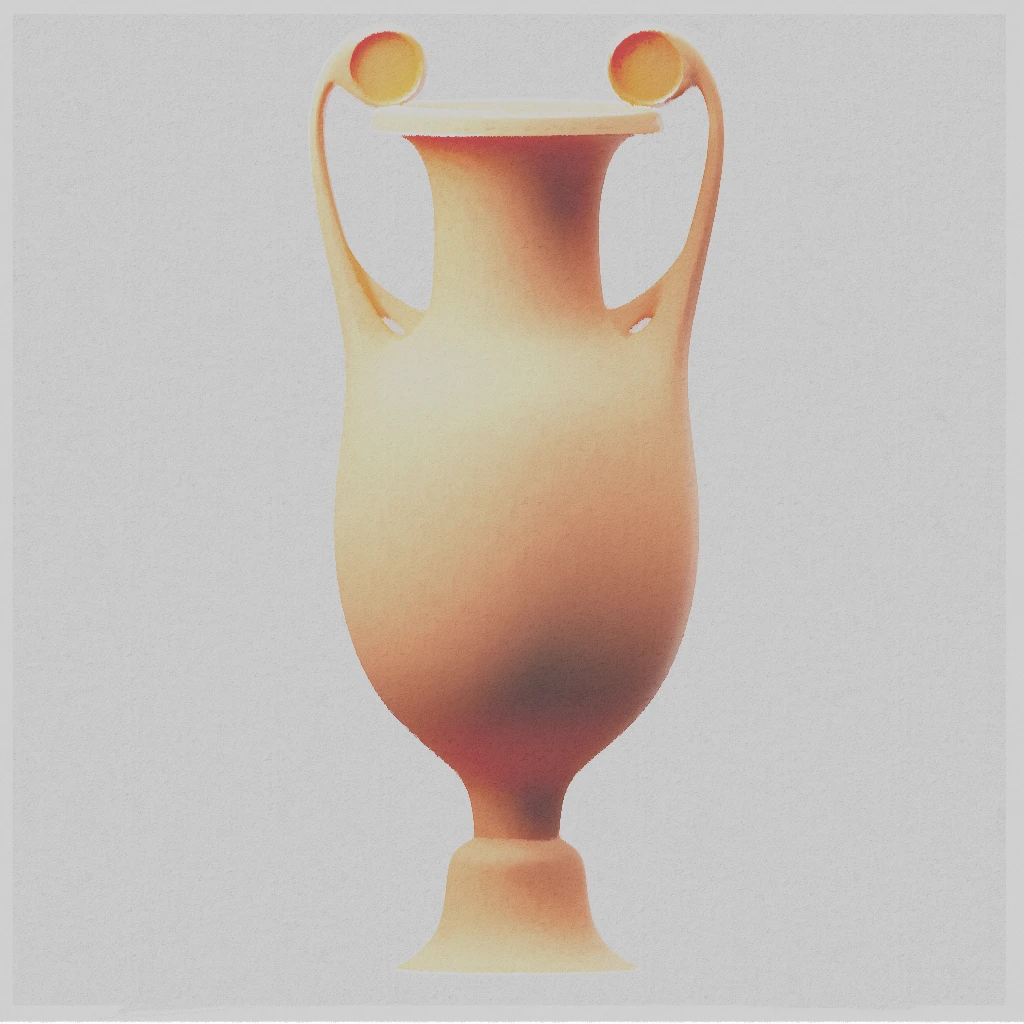
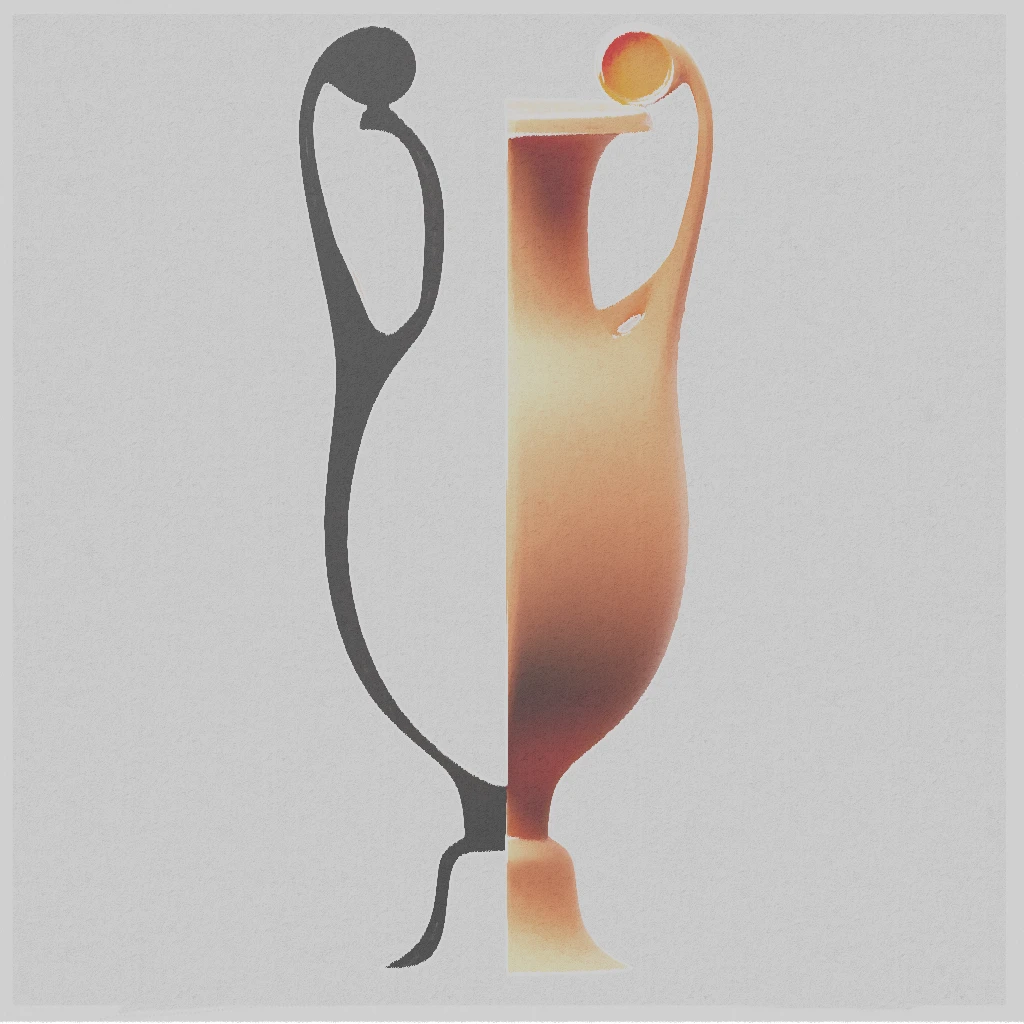
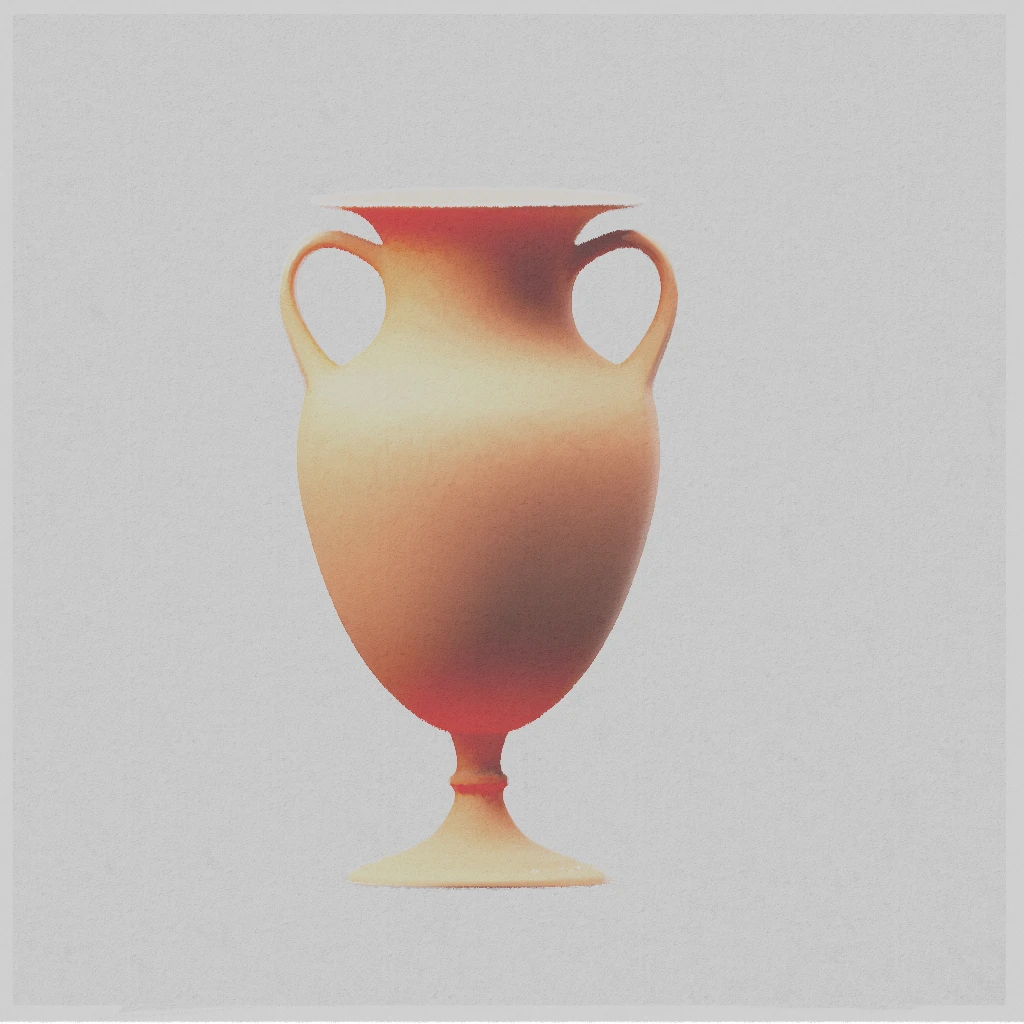
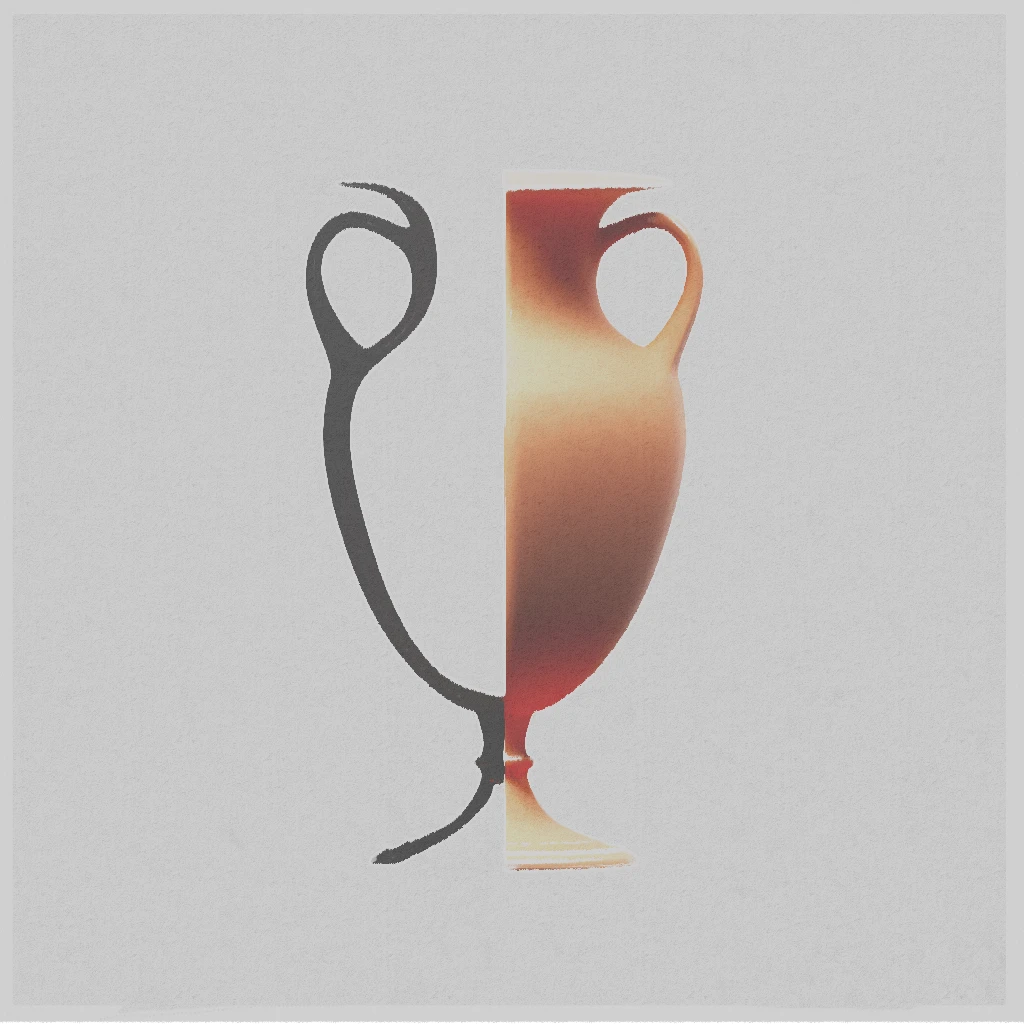
How cool is that ?! I know, I know. I’m nerding out.
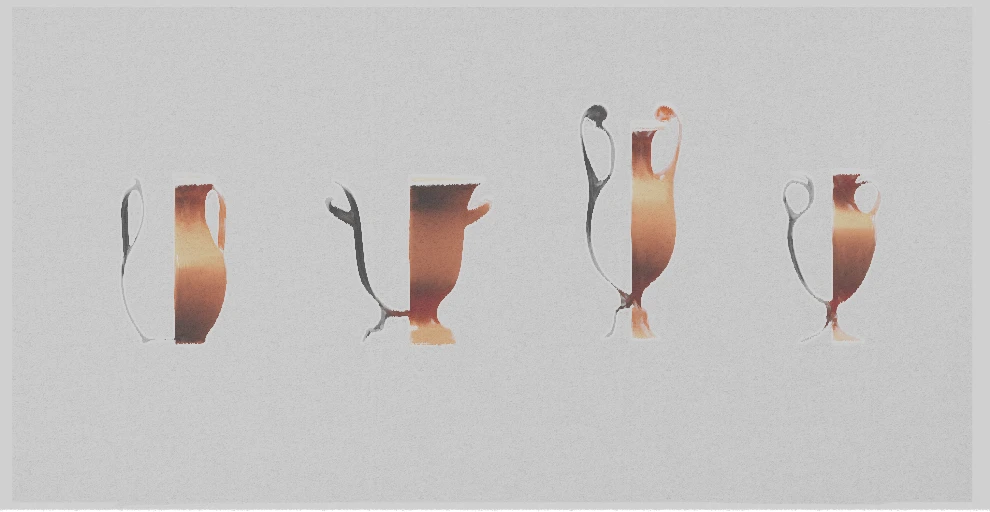
It’s not fair if we don’t test it out in the field !
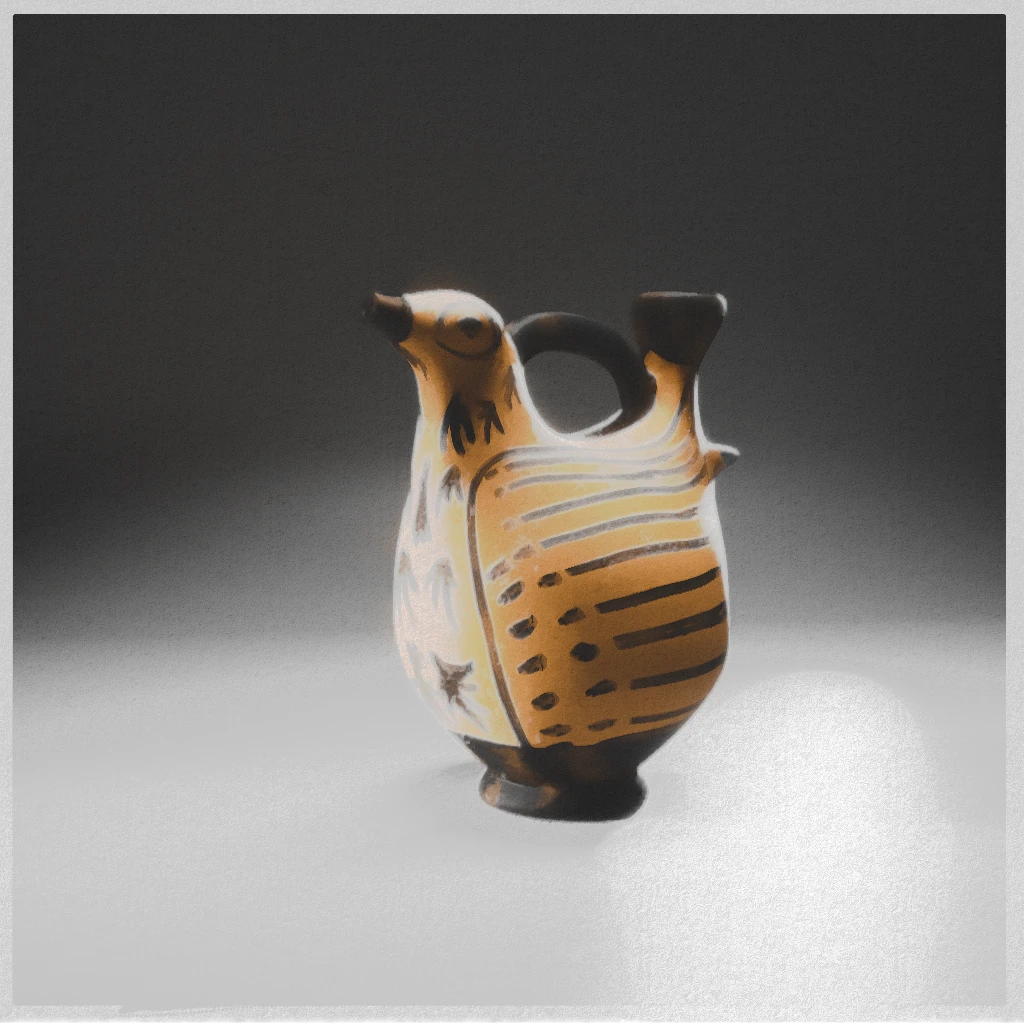
How about testing our new toys on a nice askos ? After the ferret, let’s try our hands at a bird !
An askos is a small vase used to pour small quantities of liquid. This one is from an Etrurian production and dates around -325/-275 BCE. Askos have given potters the opportunity to try many shapes, from the most simple to the utterly quirky. They’re all delightful !
I choose this piece because the Musée du Louvre gives us a full turnaround, so, as it is a case in point matter here, things can go faster on that front. This is a test, and speed beats accuracy this time. A slapdash hand-painted texture, a few tweaks and voilà !
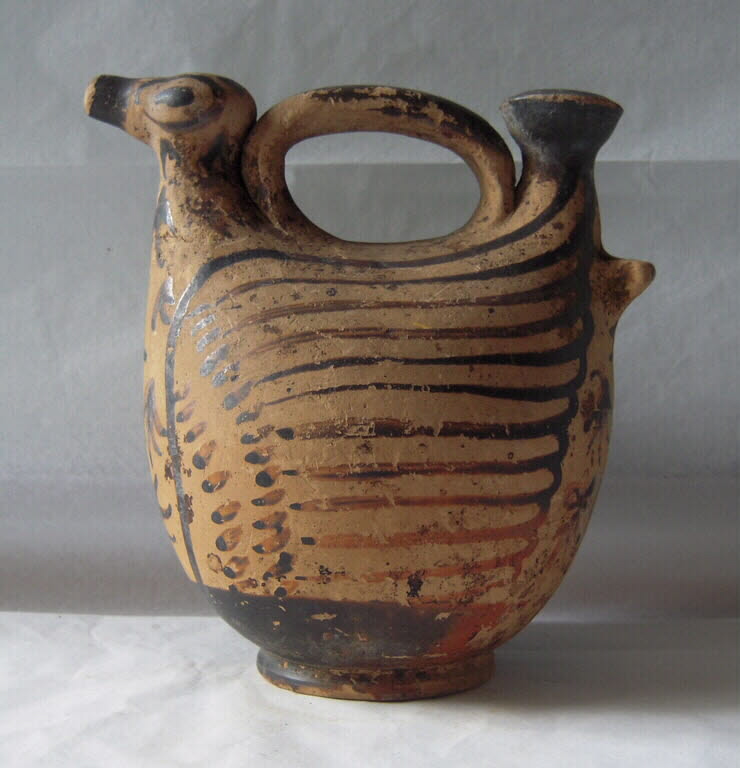
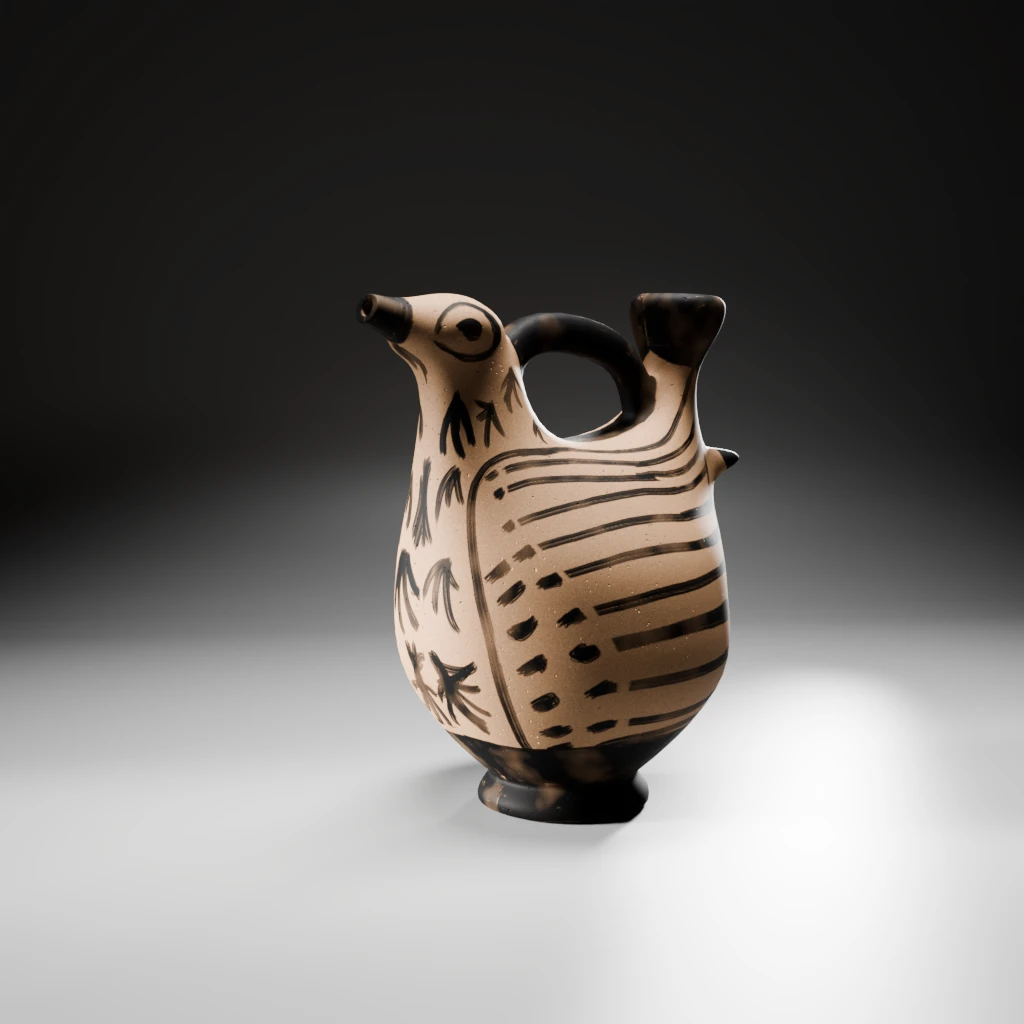
I love it !
3D view
And you can even turn it all into a web browser experience ! Want to see the outlines of the askos ?
Well, to be exact, what my nerdy brains think it might be ?
Disclaimer : technical limitation to material render in web app can let artefacts show, particularly in zoomed views.
See the full screen view (this will open a new tab in your browser).
Note:
For those of you that wonder how to do this half version of your piece: just remove one of the cubes from the geo nodes tree described before and enlarge the other one !
Contact
If any of you, dear reader, want to further the conversation, you can do so on Mastodon or Pixelfed.
Credit
Unless otherwise mentioned, all images credit to LGS.
Iconography
Design for Four Vases, Anonymous, French, 18th century French, ca. 1770–85, INV. n°61.680.1.30, Metropolitan Museum.
Askos vase, -325 / -275 BCE, Italy, Département des Antiquités grecques, étrusques et romaines, INV n°CP2641/H105 Musée du Louvre.